
The parent portal
Parents see from home what was worked on in therapy
The parent gets in with the code from the centre, on a phone or a computer, with no account and no password. They see what concerns them directly: the next session, what was worked on and what they have to do.
30 days free. No card required to sign up.
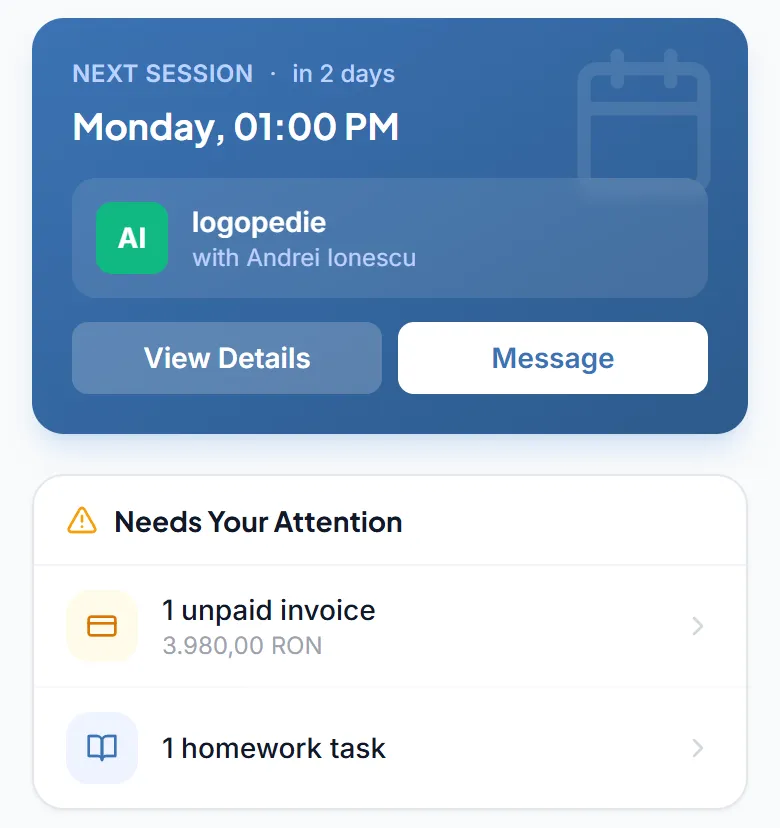
What the parent sees
Everything about the child, in one place
- Home
- Schedule
- Sessions
- Progress
- Objectives
- Homework
- Documents
- Invoices
- Messages
Every session, with what was worked on
Attendance, the programmes worked on and their scoring, the notes and the recordings the therapist chose to send.
Progress, for every programme
The same picture of progress that the centre sees, with the option to pick a therapy.
What the family has to do
Homework, unpaid invoices and unread messages show on the first page.
How it connects to the rest of the platform
Notifications
The parent is told when a session, an invoice, homework, a document or a clip appears. Notifications can reach their phone too.
In Romanian or in English
The parent picks the language, whatever language the team works in.
The centre decides what is sent
Documents and reports reach the family only when you send them. For clips and voice notes, “Share with the parent” starts ticked; you untick it for what stays with the team. Notes marked “Staff only” are not sent.


Frequently asked questions
Does the parent need an account?
No. They get in with a code the centre generates from the child’s record, or straight from a link.
What happens if a code reaches someone else?
The centre stops the access and generates a new code.
Can parents write to the therapist?
Yes, from the portal, in messages with the centre’s team.
Try TempoApp free for 30 days
No card at signup. We move your data from Excel for you, in 48 hours.