How it works, screen by screen
Below is the platform as your team sees it, in the order they use it. The screenshots are from the real application, with sample data.
Step 1
Set it up once
Before the first session, decide which services you offer, which programmes you run and who is on the team. After that you only come back here when something changes.
- 1
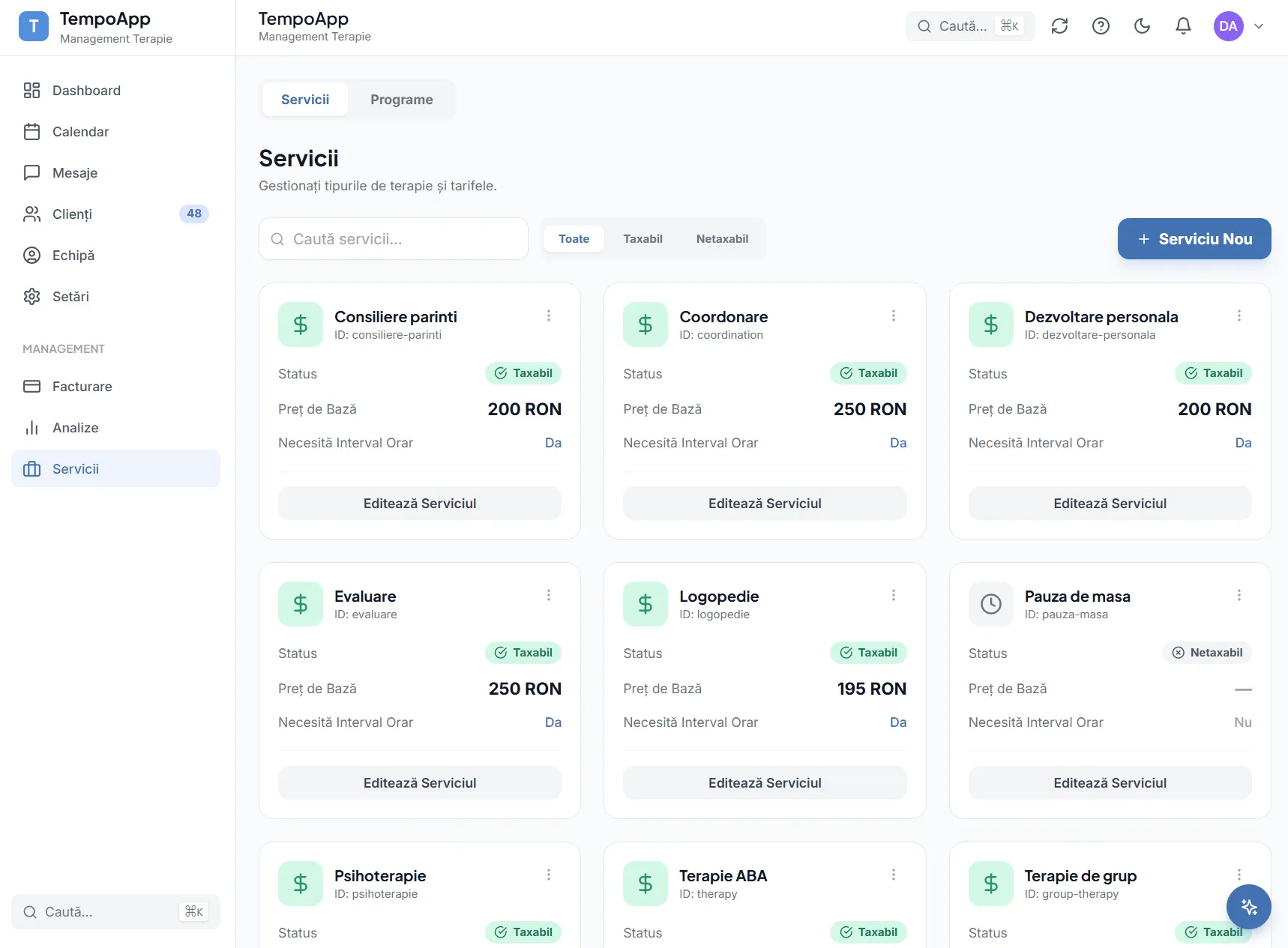
Services and rates
Define each type of session and its base price. Invoicing takes its amounts from here, so you are not calculating them.
- 2
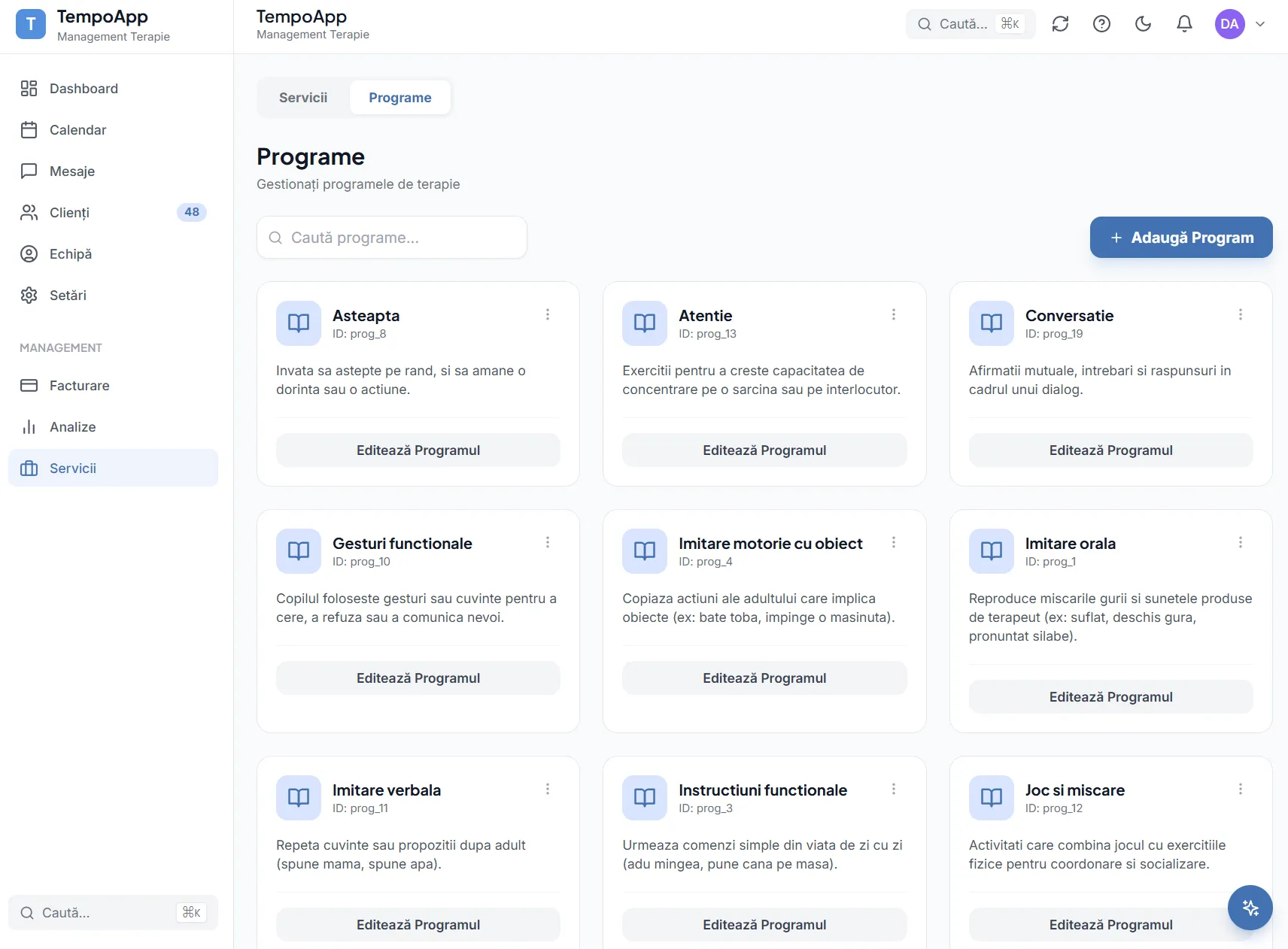
Therapy programmes
Add as many of your own programmes as you need, matched to your methodology. They then appear in the scoring panel for every session.
- 3
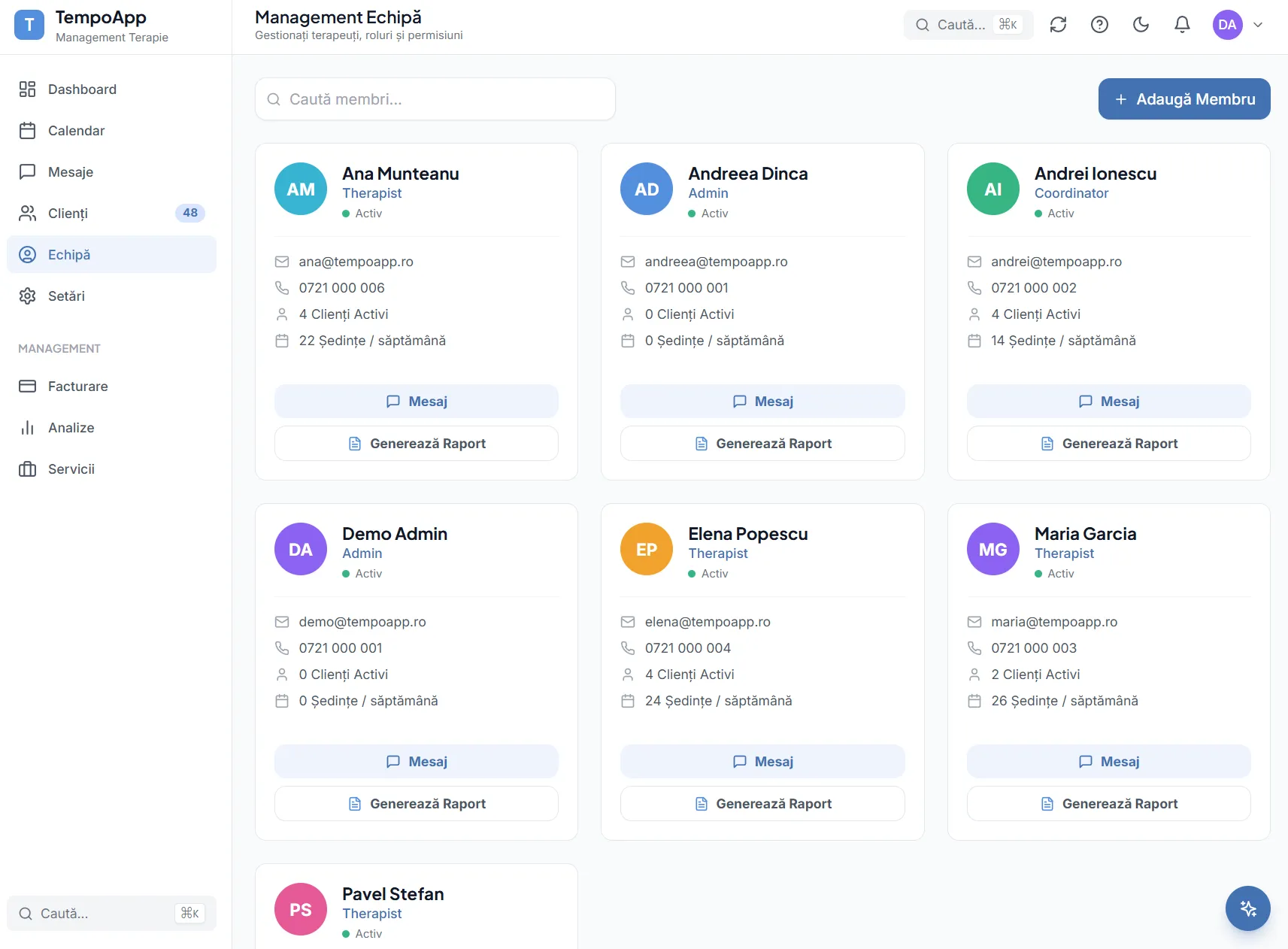
The team and their roles
Everyone gets the right role. Therapists see only their own clients, coordinators see the team, administrators see everything.
Step 2
The therapist’s day
The part you touch daily. Everything that follows can be done from a phone, between sessions.
- 1
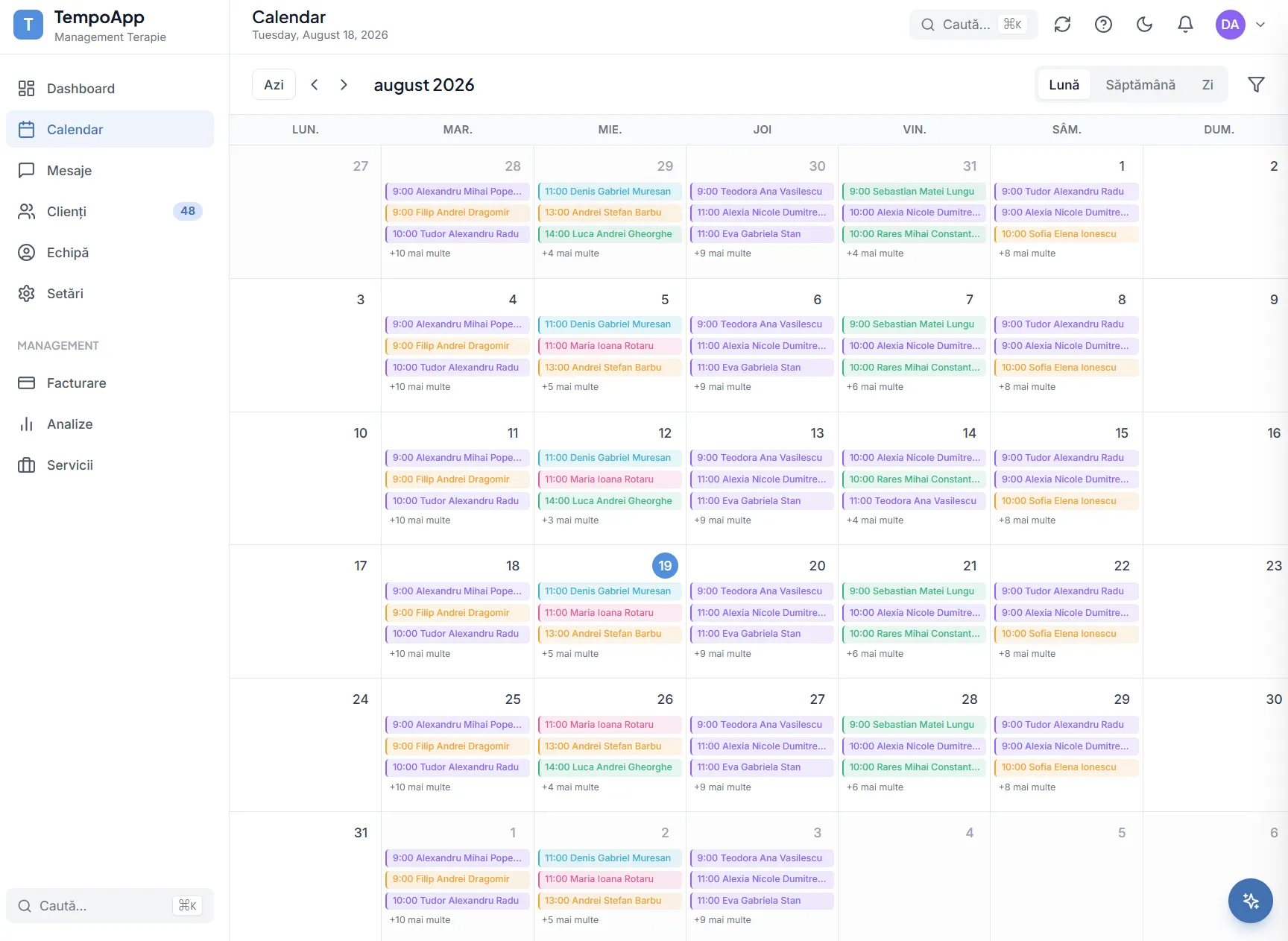
The month at a glance
See immediately how busy the period is and where you still have room, before promising anything to a parent.
- 2
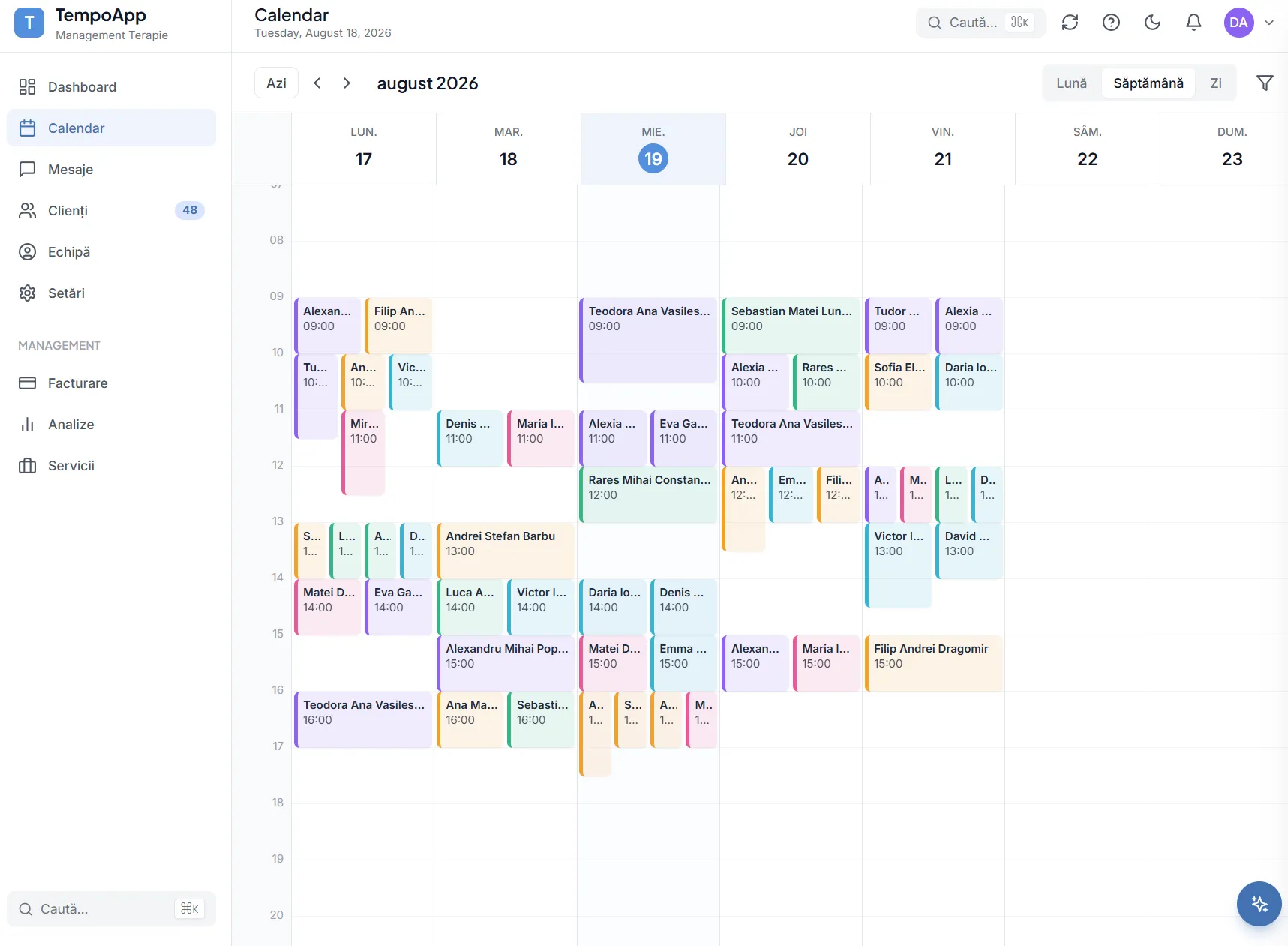
The whole team’s week
Filter by therapist or client. When someone cannot make it, you can see straight away where the session fits instead.
- 3
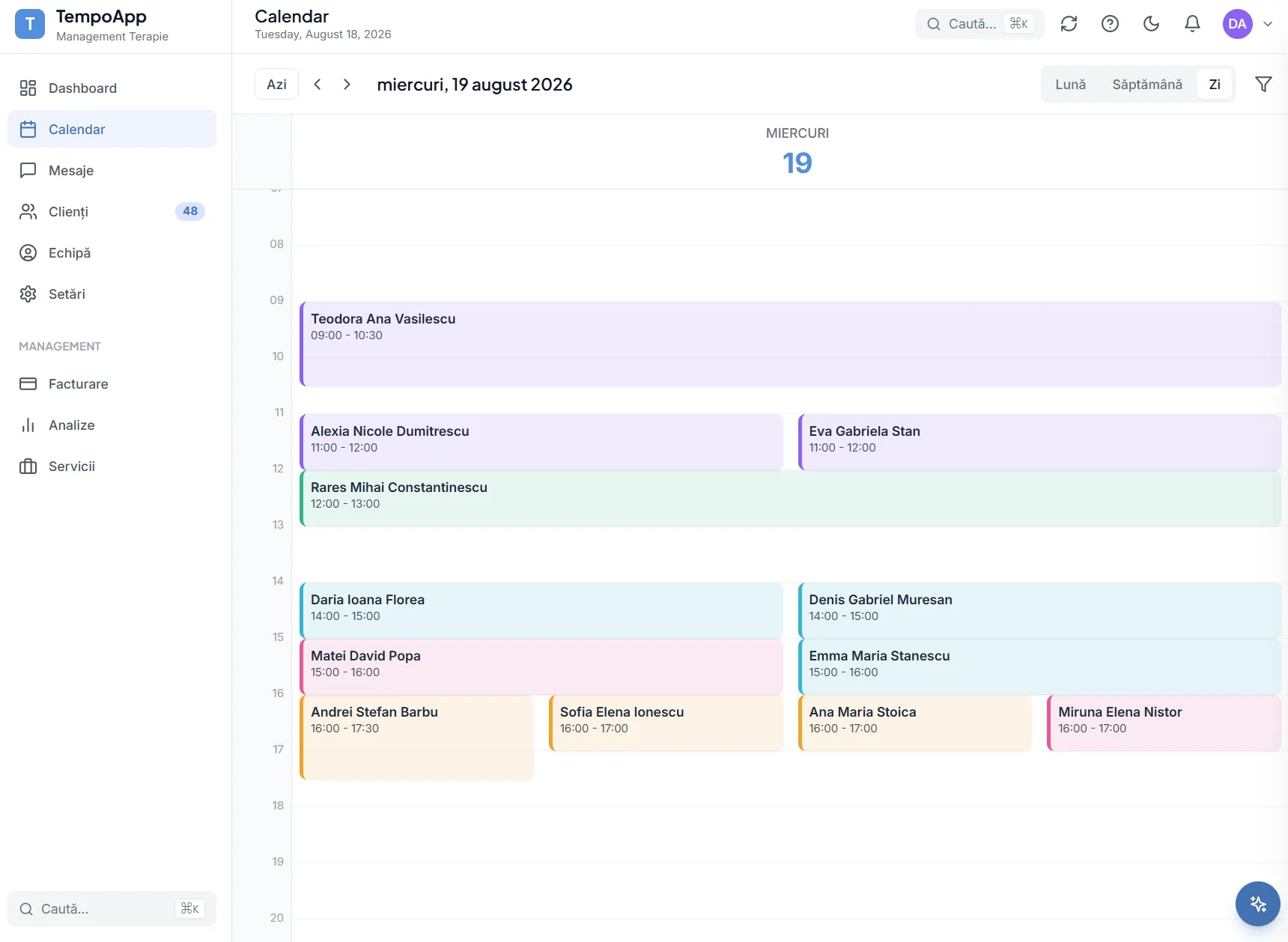
Your day, hour by hour
The screen a therapist starts the morning with: who is coming, at what time, in which room.
- 4
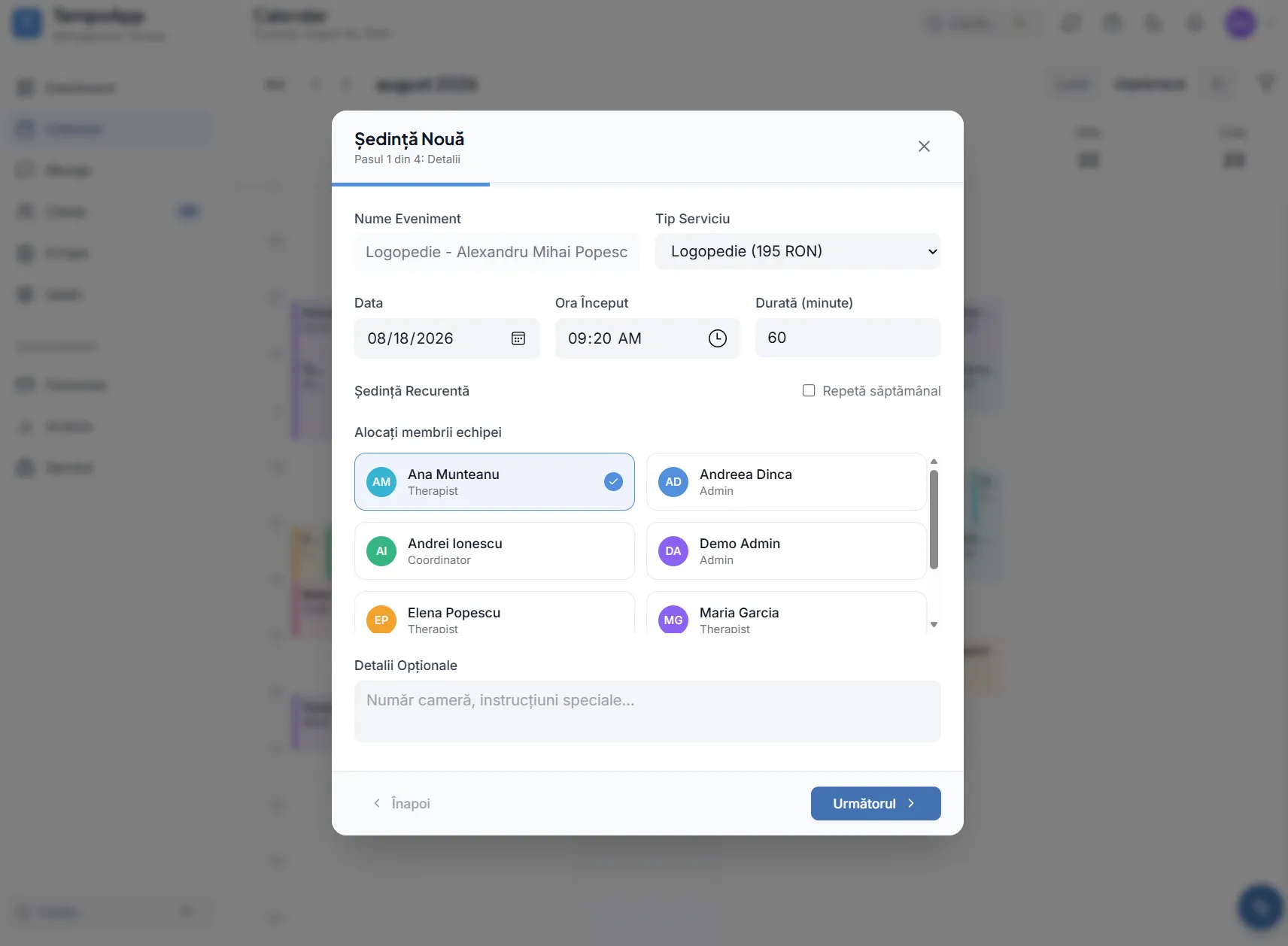
Book a session
Choose the client, the therapist, the service and the time. Recurring sessions are created once for the whole series.
- 5
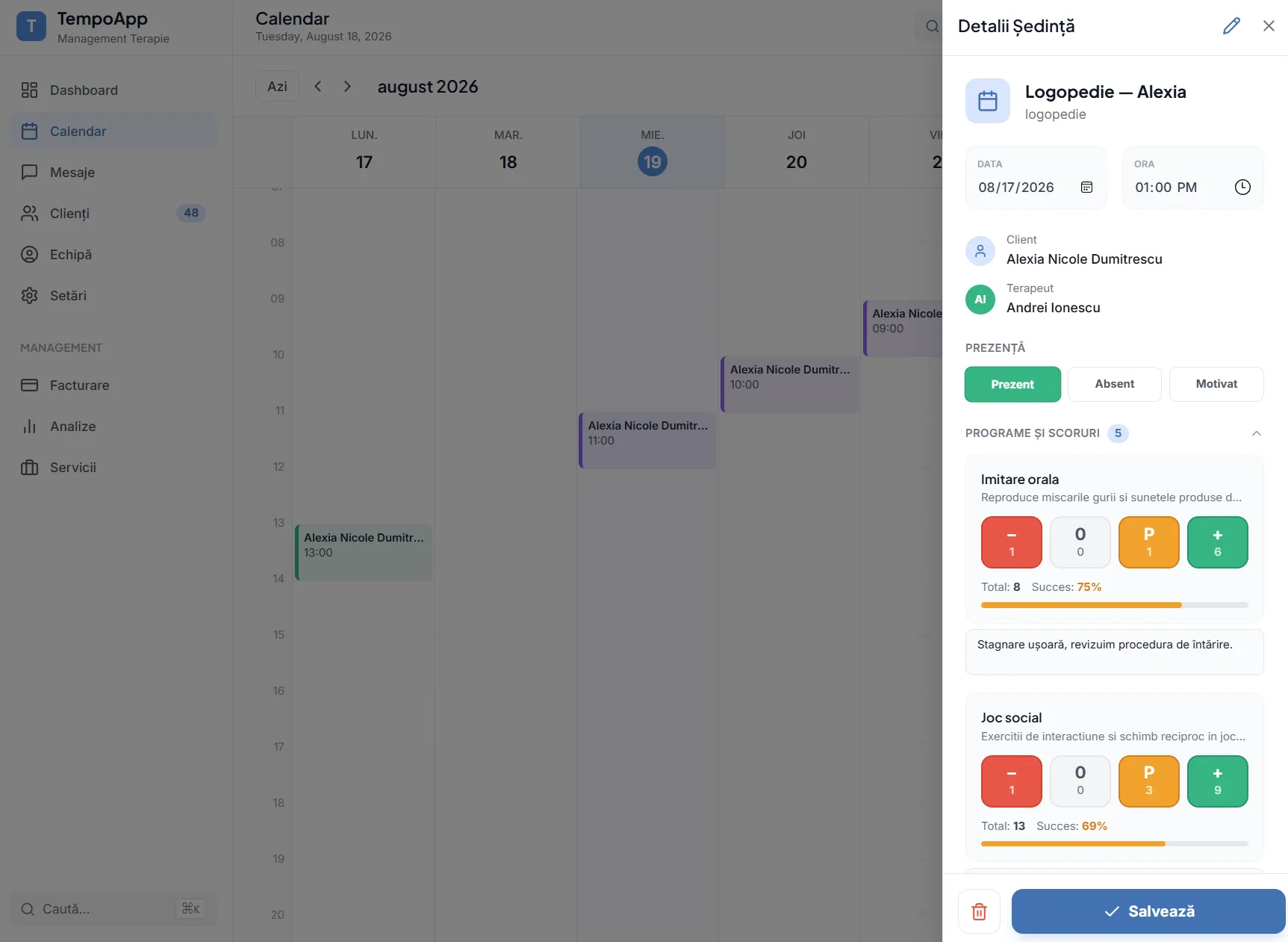
Tick off the session, in under a minute
Attendance and scores on the programmes worked. In that minute both the child’s record and the invoice position update.
Step 3
What builds up about each child
None of what follows is filled in separately. It all grows out of the sessions ticked off above.
- 1
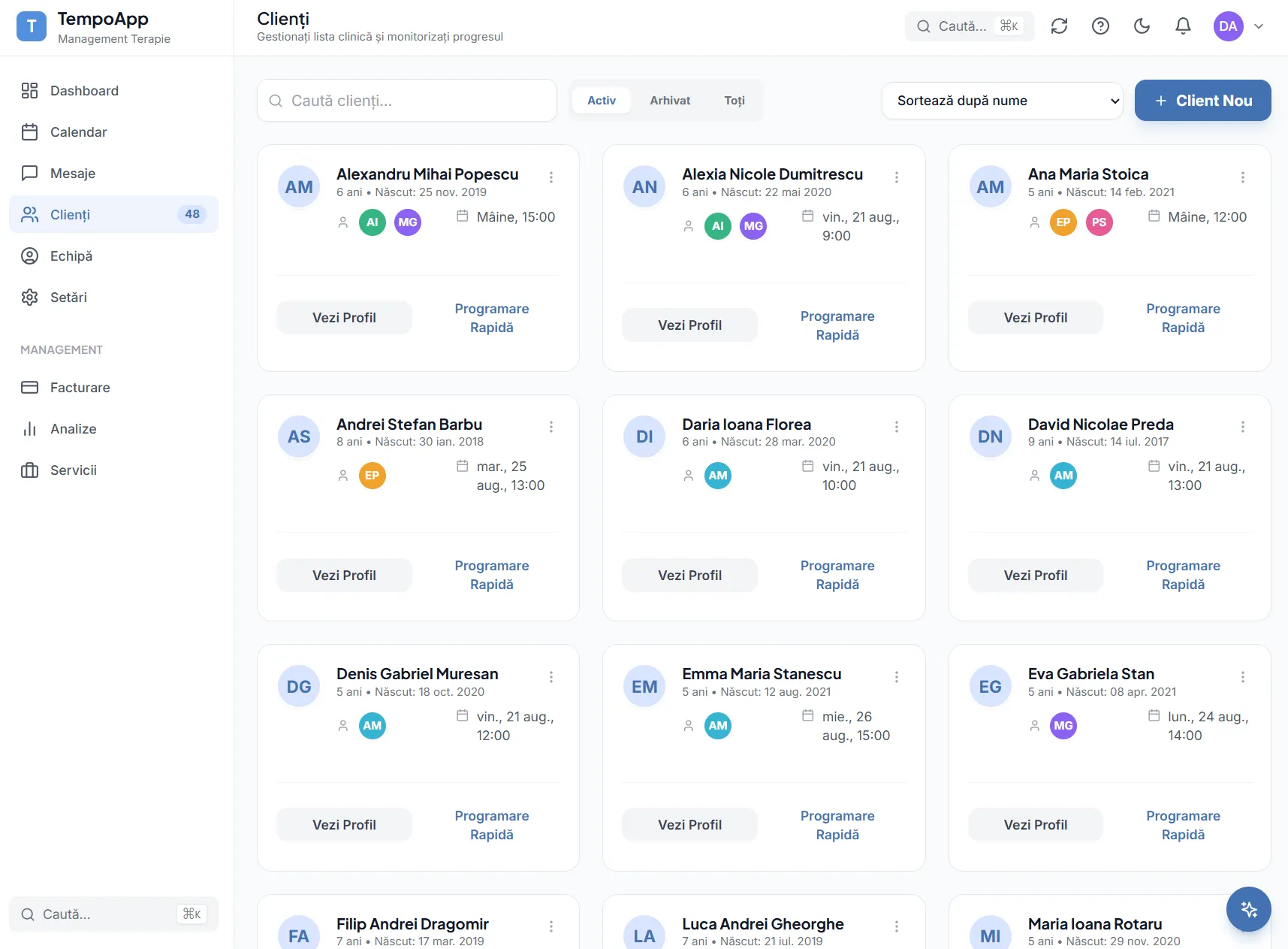
The clinical list
Every active child, with their assigned therapists and next session. Searchable and filterable, without the folders.
- 2
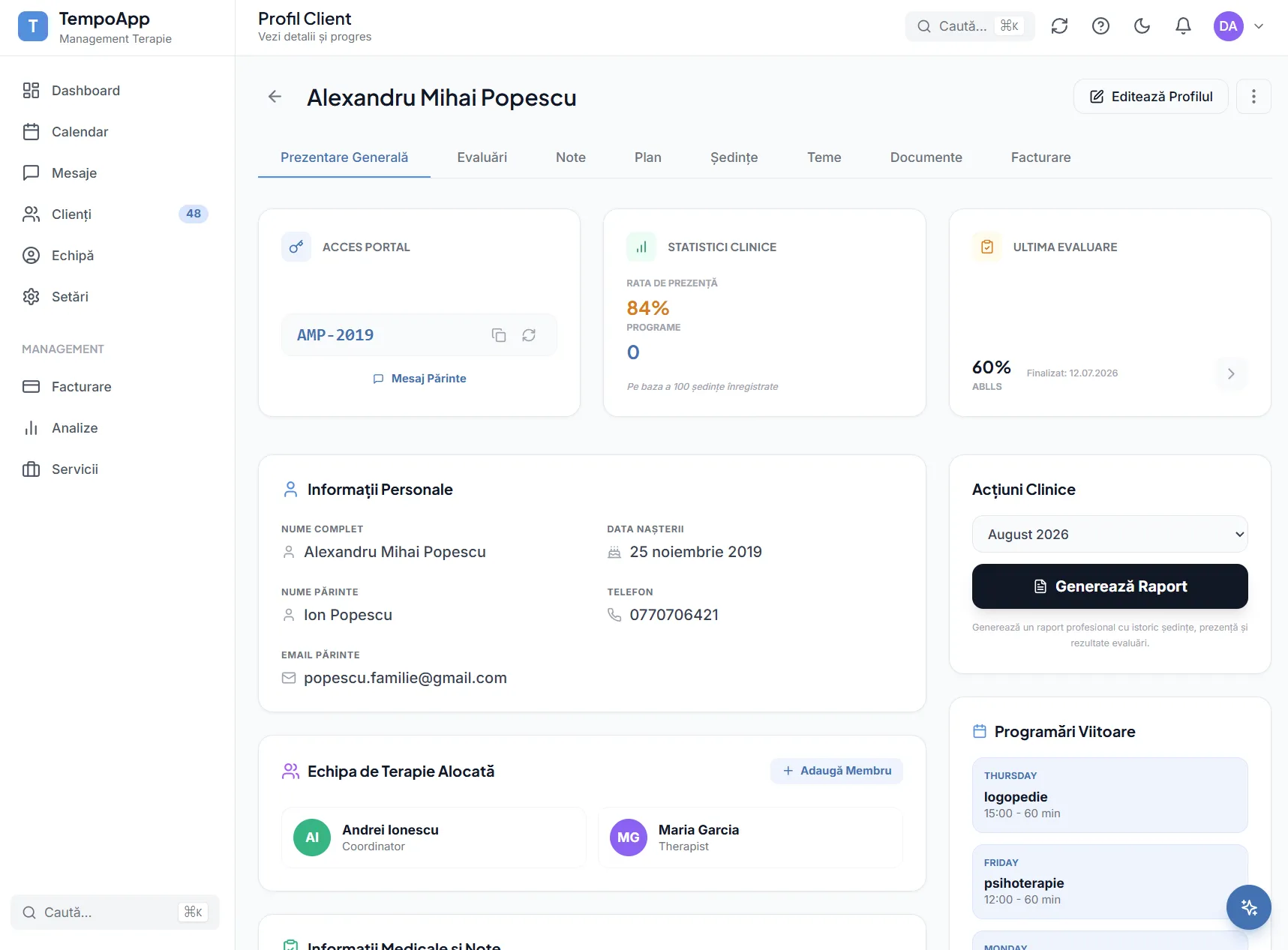
The child’s record
Details, history and progress in one place. Everything a parent sees and everything that goes into a report starts here.
- 3
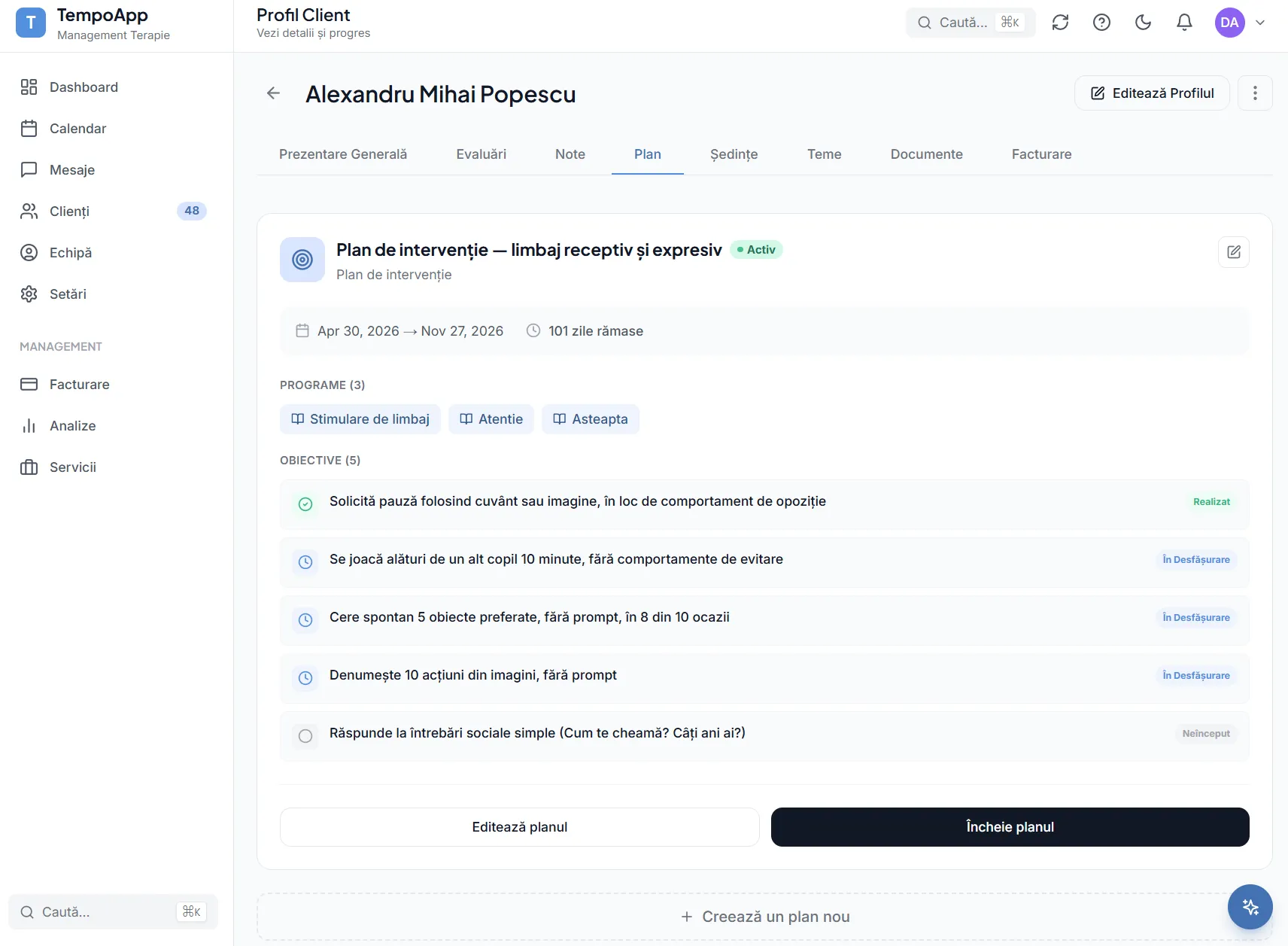
The intervention plan
Short and long term goals, with the status of each. You can see at once what has been met and what has fallen behind.
- 4
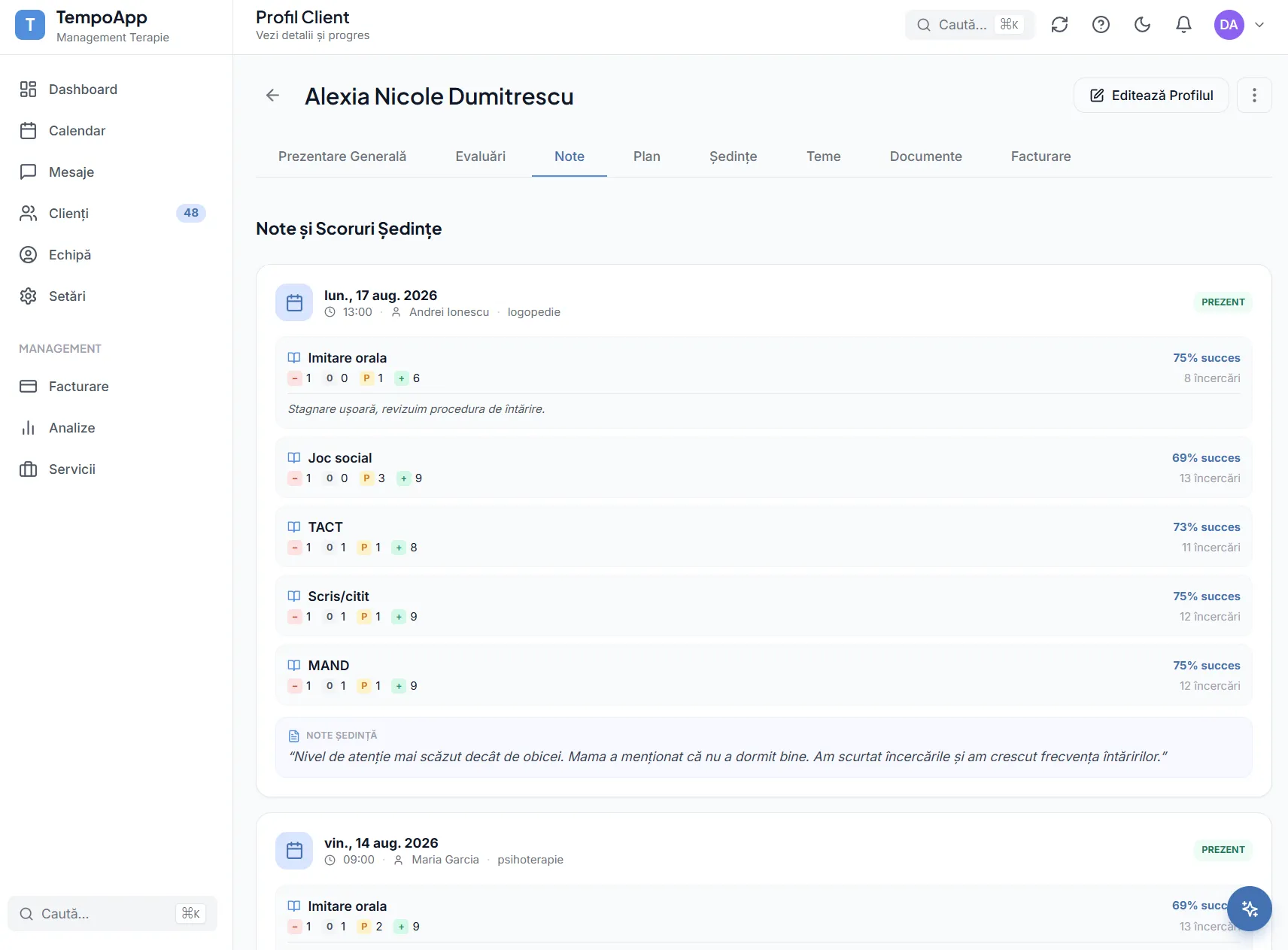
Session observations
The therapist’s notes, tied to the session they came from. No longer lost in a notebook or written up from memory in the evening.
- 5
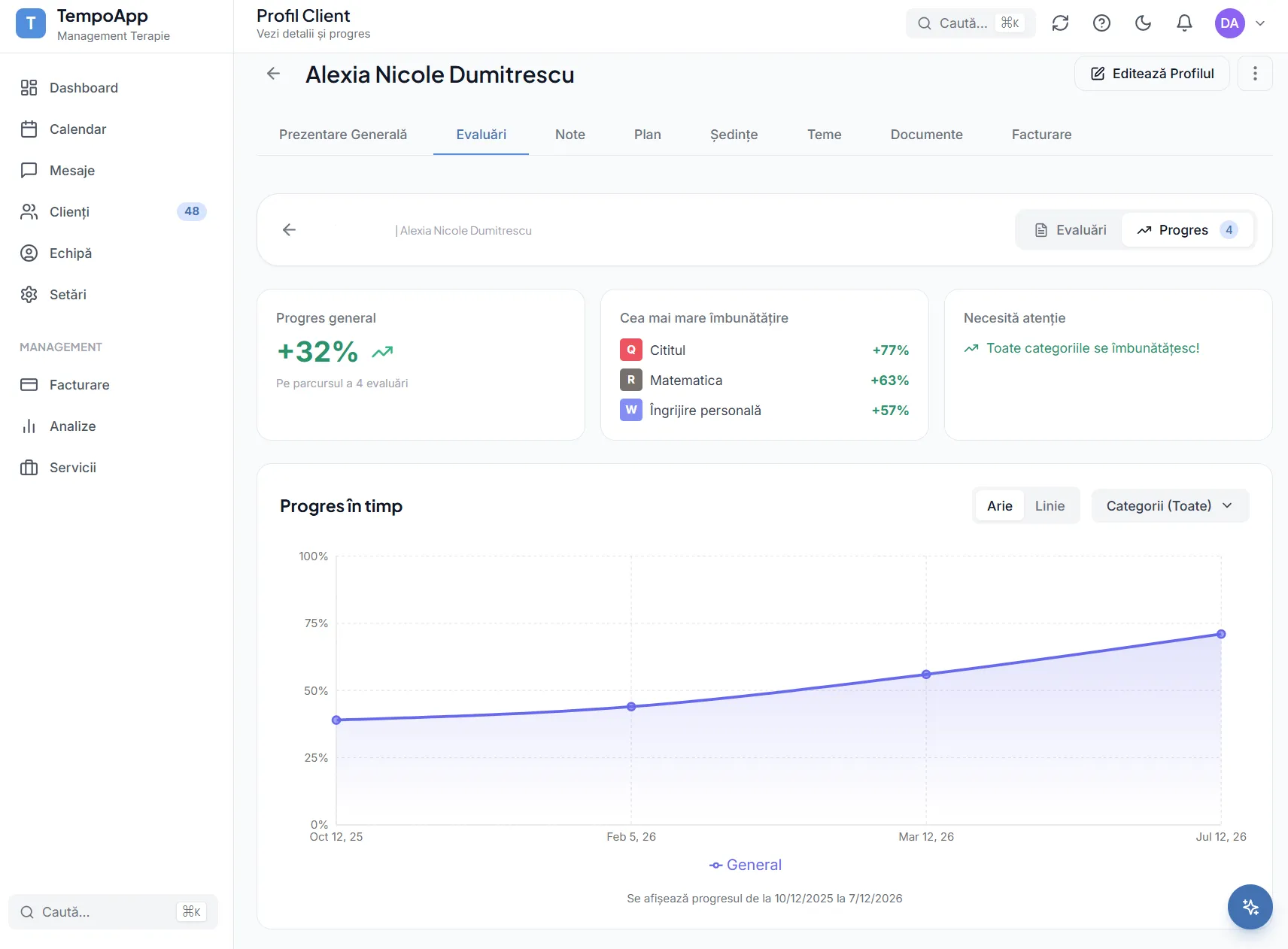
Progress over time
Development by category, not just a single percentage. See what has grown, what has stalled and where attention is worth moving.
- 6
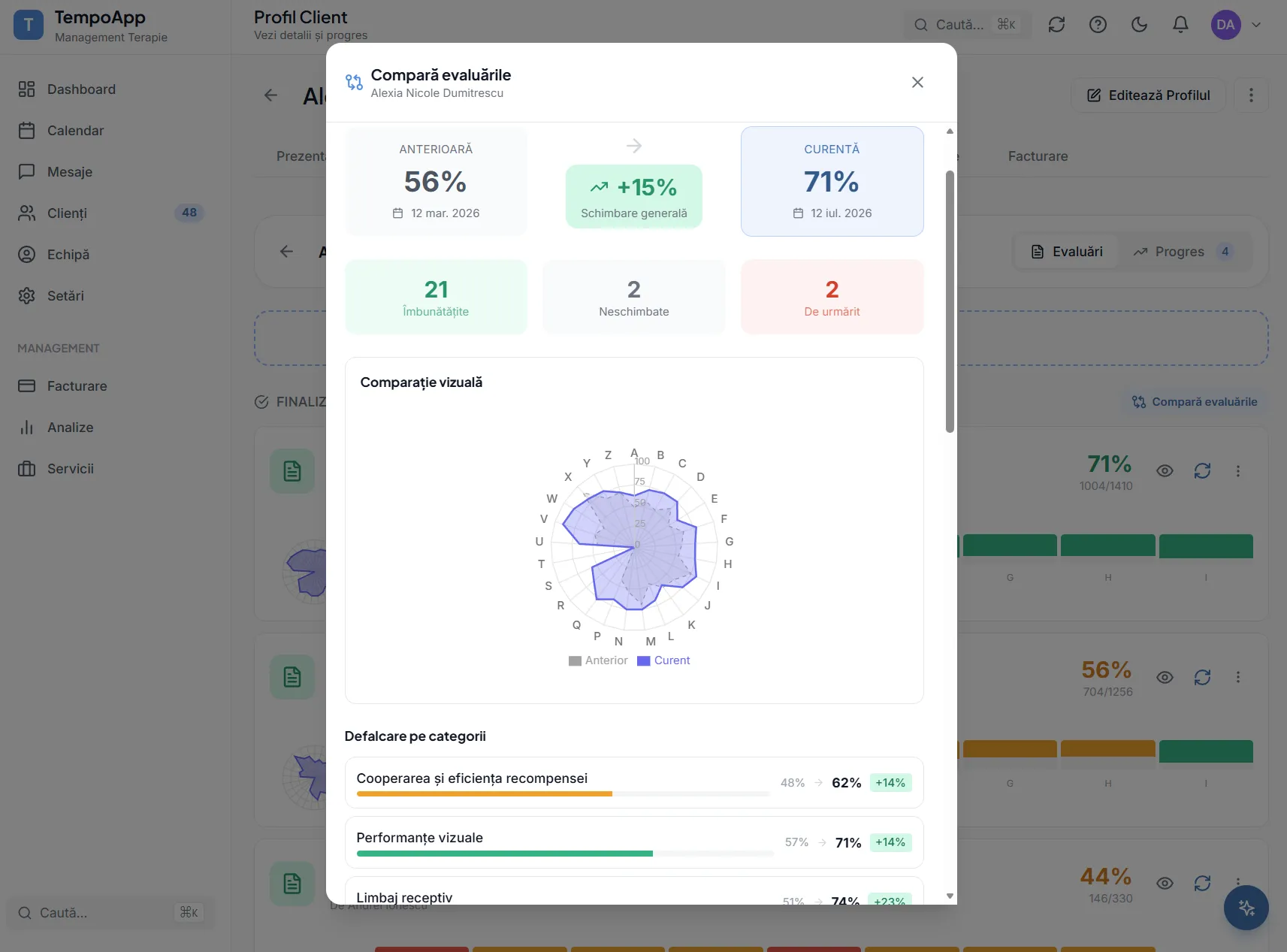
Compare two evaluations
Put two different points in time side by side and see exactly what changed between them, category by category.
Step 4
Month end
The part that used to take a full day.
- 1
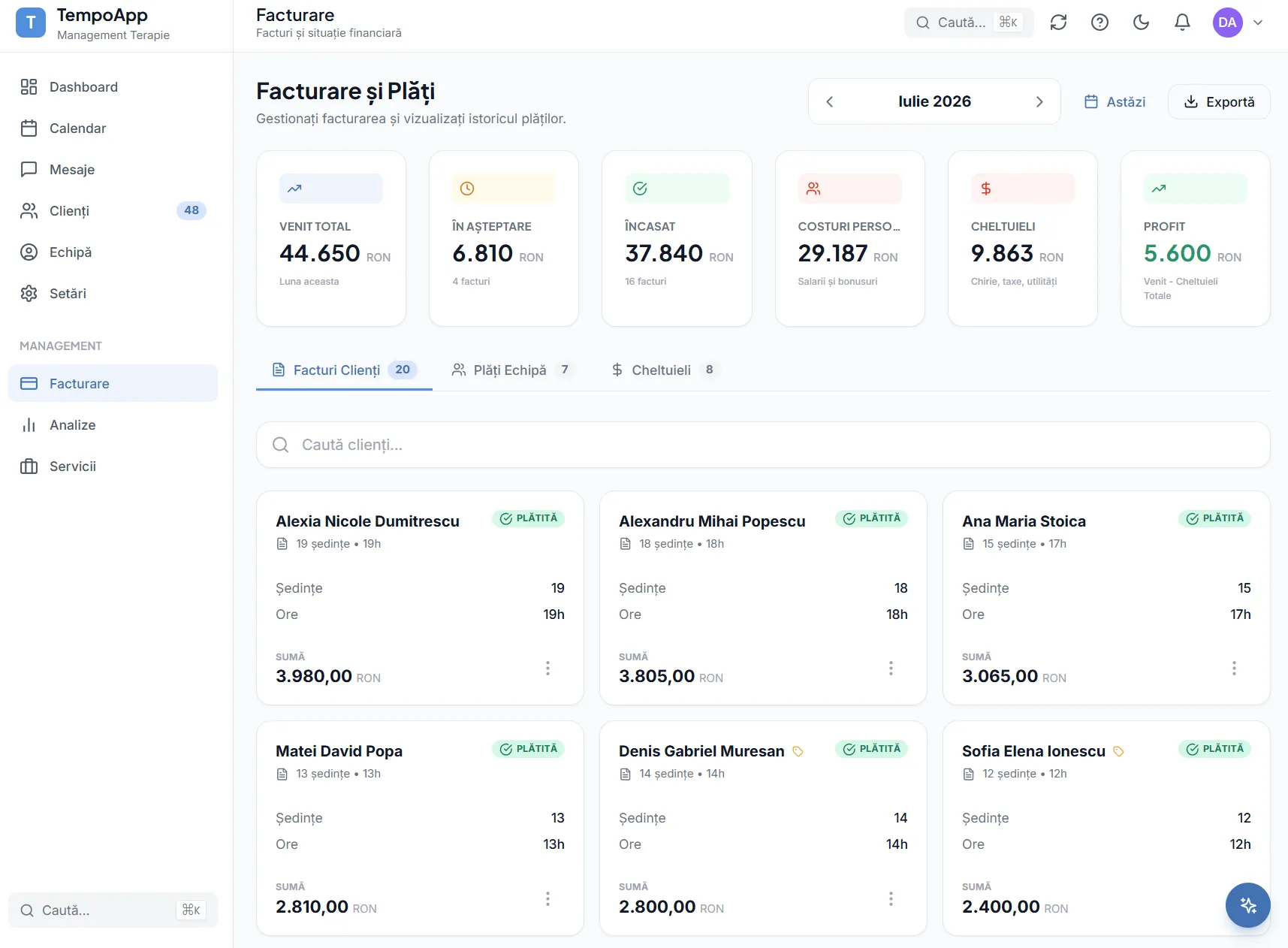
Invoices come out of attendance
Completed sessions become invoice lines with the rates already applied. You review and approve, and the invoices go out through the SmartBill integration.
Example reports
Two reports generated by the platform, exactly as they come out. You can open them offline or print them.