
Invoicing
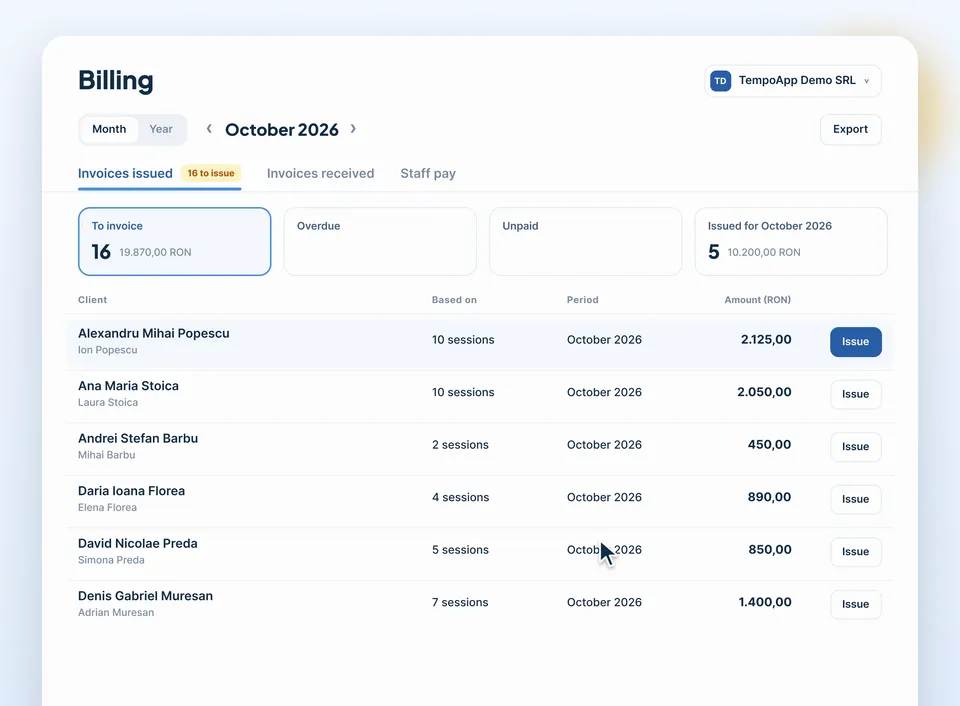
The month’s invoices, from the completed sessions
At the end of the month, each family’s invoice starts from attendance. No more counting sessions from notebooks or redoing sums in Excel.
30 days free. No card required to sign up.
The prices
The right price for each family
- Price per hour
- Fixed price per session
- Monthly subscription
- Discount
- Pro bono
Present and Absent are invoiced, Excused is not
The rule is the same for every family. A session with no attendance marked is not invoiced until you mark it.
Several companies, one clinic
Each company has its own details and its own invoice series. On the child’s record you choose which company invoices them.
Reminders for invoices
The admin sees when there are invoices to issue and which ones are past their due date.
How it connects to the rest of the platform
Sent to your invoicing app
Invoices issued in TempoApp can be sent to SmartBill, FGO or Oblio.
Parents see their invoices
In the portal, with the state of each one, ready to download.
The money, for admins only
Prices, invoices and families’ billing details are seen only by admins.
Worth reading


Frequently asked questions
Do invoices reach e-Factura?
Only if your invoicing app (SmartBill, FGO or Oblio) is set up to send them. It is the account holder’s decision.
Can I have different prices for different children?
Yes: a price per hour for a service, a fixed price per session for a child, a discount in per cent, a monthly subscription or pro bono.
Who on the team sees the invoices?
Only admins. Coordinators, therapists and reception do not find them in the menu or on the records.
Try TempoApp free for 30 days
No card at signup. We move your data from Excel for you, in 48 hours.