September 2026
Billing by company and team pay
Several companies, one clinic
Some clinics work through several companies, for example one for therapy and another for speech therapy. Since September, in Settings, under Billing, you add each company with its own details, its own invoice series and the number it continues from. Two companies cannot use the same series, and one of them is the default company.
On each child's file you choose which company bills them, and on each team member's file, which company pays them. Anything without a company chosen goes to the default company.
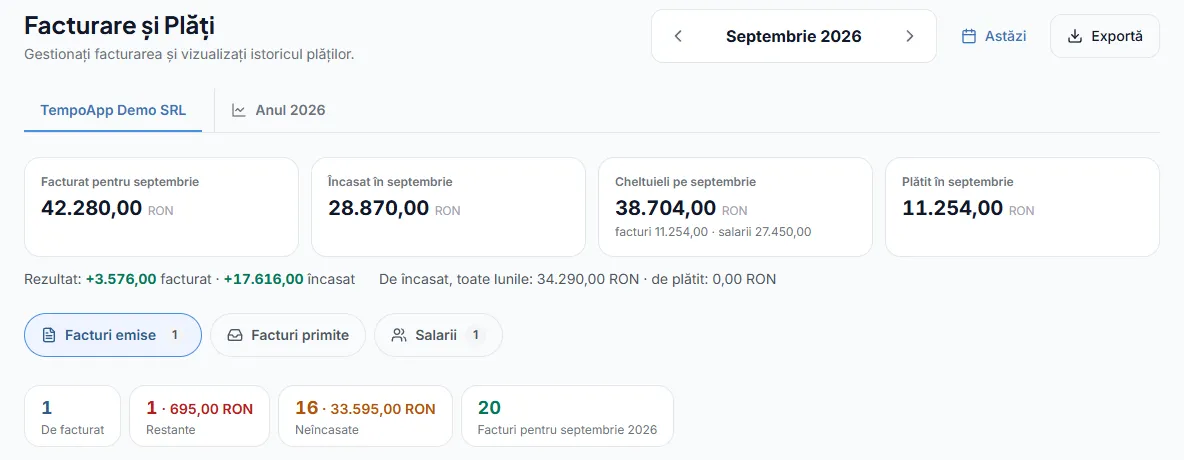
On the Billing page, each company has its own tab: invoices issued, bills received from suppliers with the file attached, and salaries. There you also see that company's figures for the month: invoiced, collected, expenses and the result. A separate tab shows the year so far, by company and in total.
Team pay
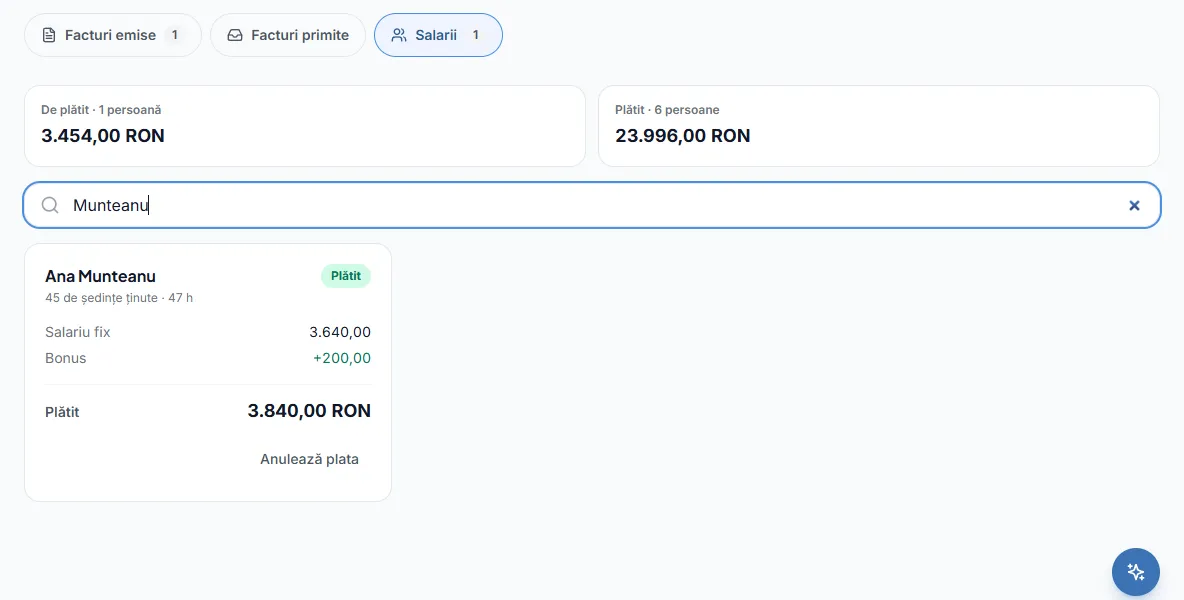
For each person on the team, you set how they are paid, in any combination:
- A fixed monthly salary.
- A rate per session, for the sessions they run.
- A rate per hour, based on the actual length of the sessions.
- A percentage of the session price, from what families pay for that person's sessions, Present and Absent, because the family pays for both.
A monthly bonus is added on top, and you can change the bonus and the deductions for each month. Sessions where the person worked alongside a colleague are counted too, not only the ones where they were the lead therapist. When you mark the month as paid, the amounts stay as they were at that moment.
Billing reminders
On the home page, the Admin sees the "Invoices to issue" card when it is time: from the 25th for next month's subscriptions, then on the last day of the month and in the first ten days of the following month for sessions. The card shows how many families are still to be invoiced, by company, and how many sessions held do not have attendance marked, because these do not go on an invoice until you mark it. The same reminder also arrives once by email. Invoices past their due date appear separately, under Overdue.
The Reception role
Reception books sessions for any therapist, moves them, marks attendance, adds and edits children's files, and creates parent access codes. They do not score sessions, and cannot see children's assessments, reports, documents and recordings. They also do not appear among the therapists sessions can be booked with.
Money, for Admins only
Prices, invoices, salaries and families' billing details are seen only by Admins. Coordinators, therapists and reception staff do not find them, not in the menu and not on any file. Every action involving money is recorded in a log that only Admins see and that no one can change.