October 2026
Scoring methods and the new session view
Therapies and six scoring methods
Until October, every programme was scored the same way, through trials. Now the clinic has a list of therapies: ABA, Speech therapy, Sensory integration, Movement therapy, Play & joint attention, plus any it adds. Each therapy has a default method, and each programme belongs to a therapy and is scored with one of these methods:
- Trials: − 0 P +, as before.
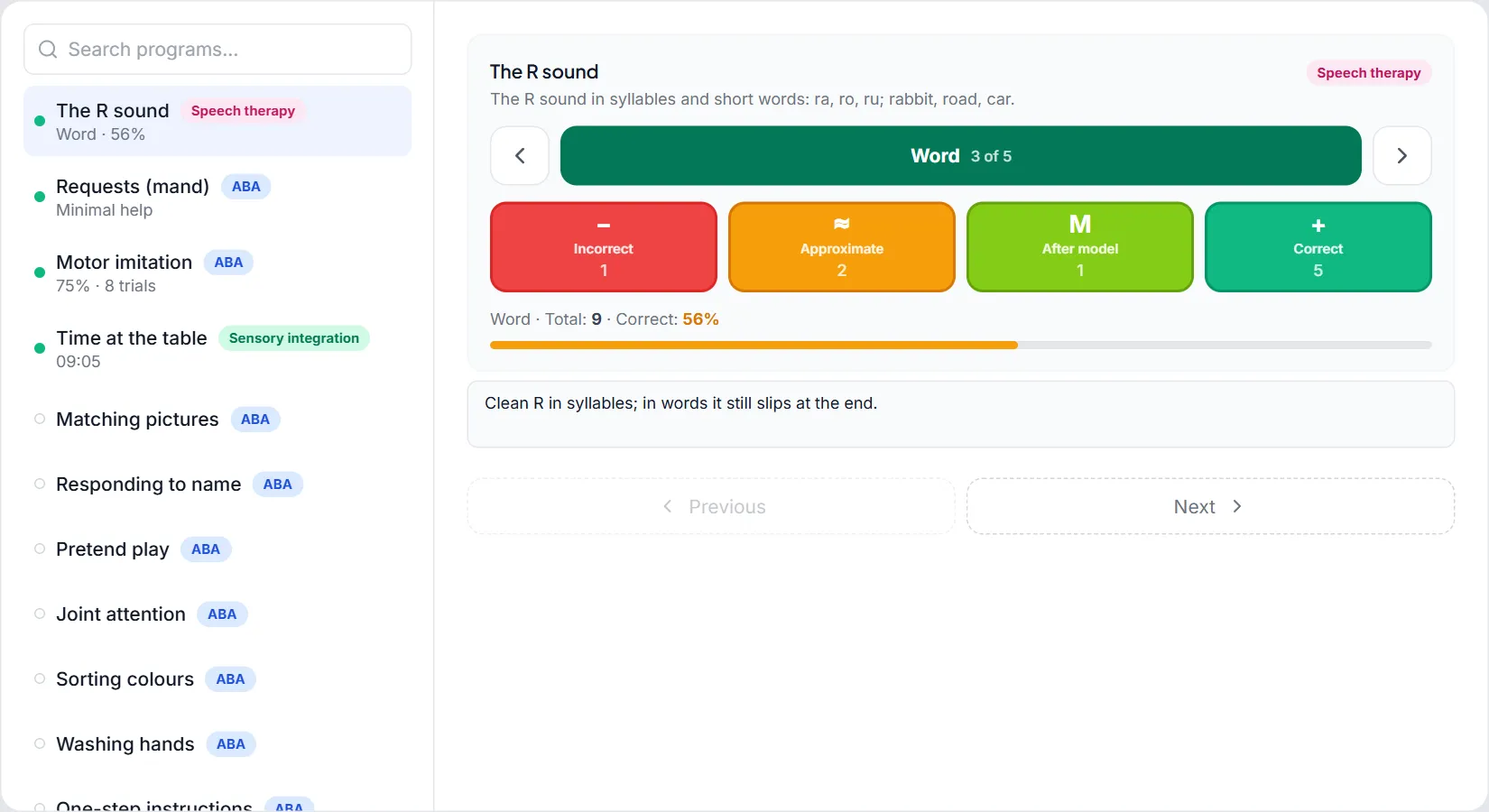
- Speech: you choose the level (Isolated sound, Syllable, Word, Sentence, Spontaneous speech) and score each trial: Incorrect, Approximate, After a model or Correct.
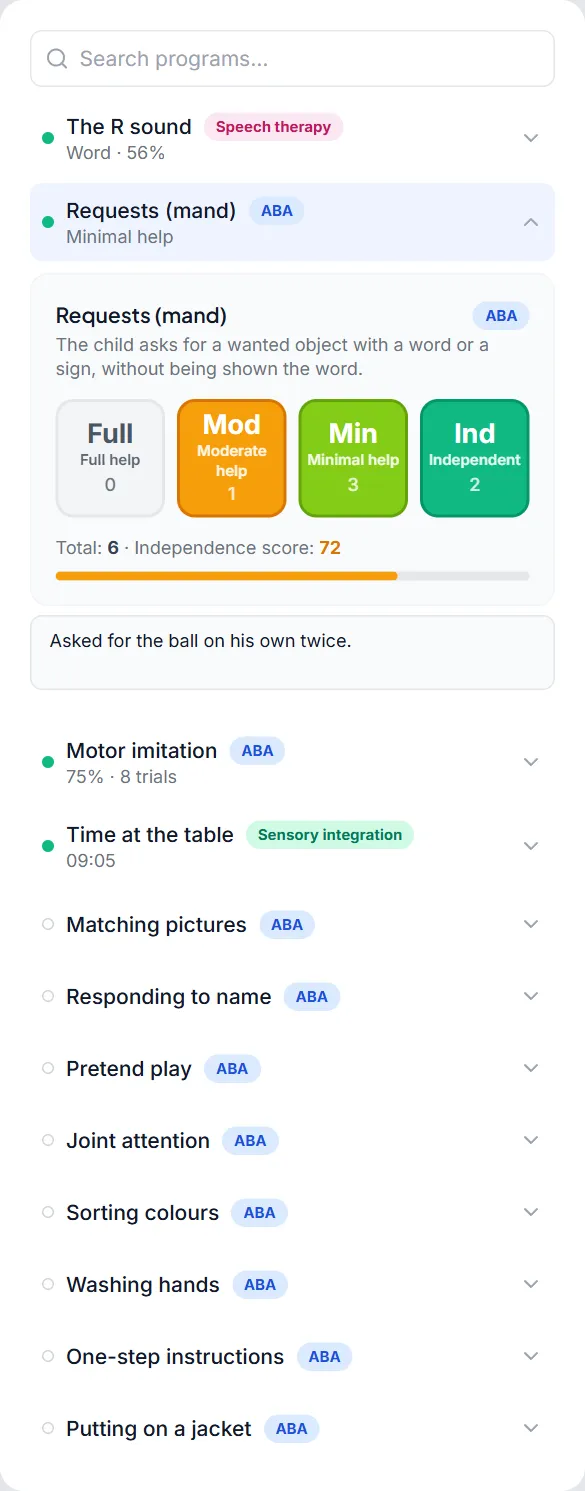
- Level of help: Full help, Moderate help, Minimal help or Independent, which produces an independence score.
- Count: how many times something happened.
- Time: with a stopwatch.
- Rating 0–10: given by the child or the therapist.
For count, time and rating, you choose what counts as progress: more or less. If a programme switches to a different method, old sessions are still read in the method they were scored with.
Progress, by therapy
Each programme's progress is read in its own method, on the child's file, in the parent portal and in the monthly report. A child who does both ABA and speech therapy can be followed on a single therapy, and parents have the same filter. In speech therapy, only sessions at the current level count, so moving up to a harder level does not show up as a drop.
The session, as a list
A session often has many programmes, and on any given day only a few are worked on. Now each programme is a row with today's result, and only the one you are working on opens up.
On tablet and laptop, the session opens full size: the list on the left, the chosen programme on the right, with Previous and Next buttons. Programmes already scored come first when you reopen the session, and the Programmes tab shows how many are scored out of the total. Objectives, notes, and voice and video recordings have their own tabs.
On the phone
On the phone, the same list opens in the session panel, and the chosen programme opens right under its row. The programme's score and note are the same as on the larger screen.
On any screen, for count, time and rating you also see the value from the last session, and in speech therapy the level starts where you left off last time.
Programmes, from the booking
When you book a session, programmes are pre-ticked from the child's active intervention plan. If there is no plan, they are taken from the child's last session, first from the same service, because a child can work on different programmes in ABA and in speech therapy. Ticked programmes appear first in the list.
When you save or activate a plan, the child's future sessions that do not yet have programmes receive them from the plan. A session left empty can pick them up from the plan with a single tap.